KinNow

QR code ordering

QR Ordering System for Restaurants & Cafés

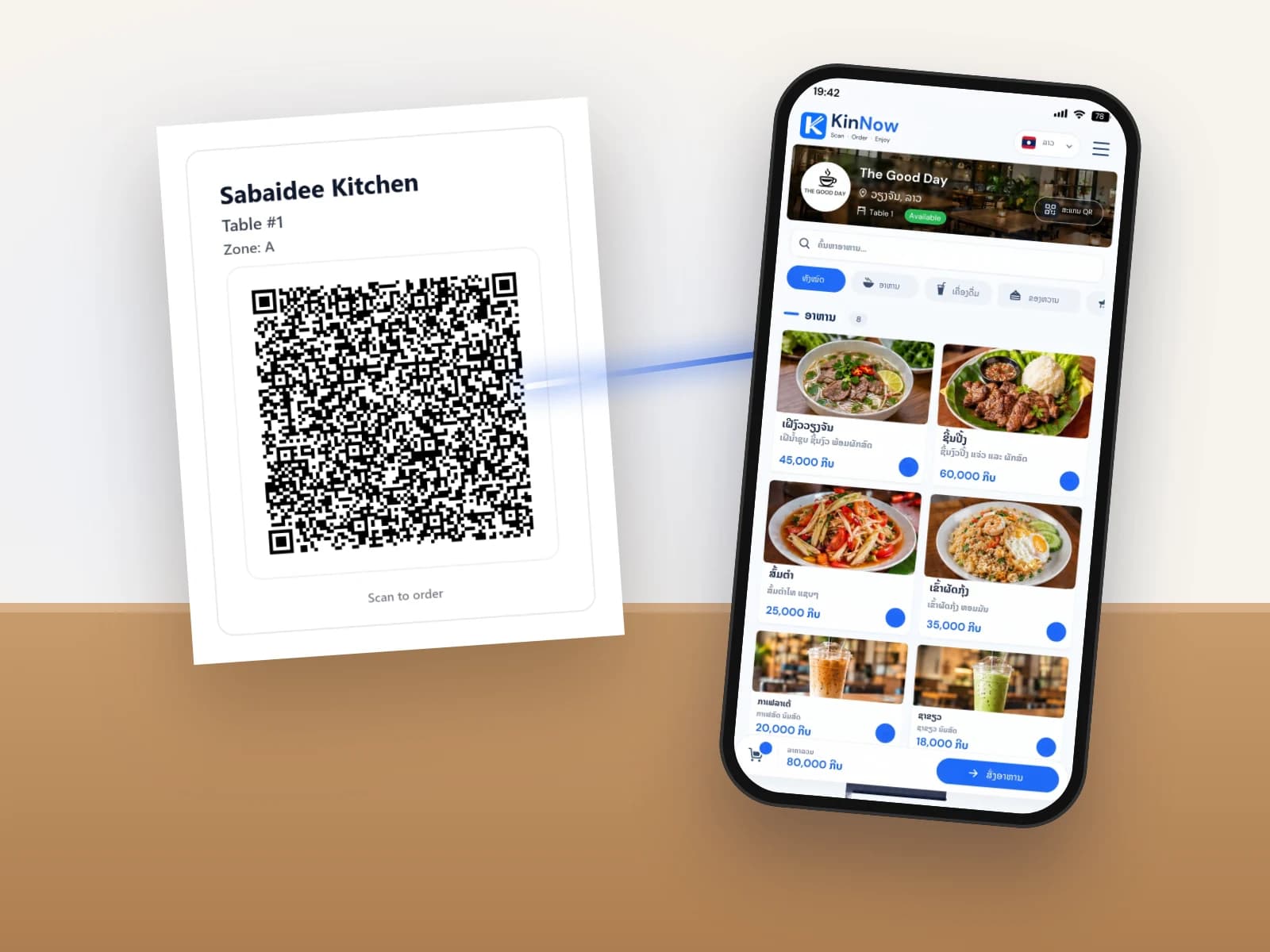
With KinNow, every table has its own QR code. Customers scan it, choose from your menu on their own phone and send the order straight to your staff and kitchen. Nobody downloads an app, and nobody waits for a waiter to take the order.

A customer scans the KinNow QR code on a restaurant table

From scan to checkout

This is the path every QR order takes in KinNow. Customers need no app and no account, can order more at any time during the meal, and can switch the ordering screen to Lao, Thai, English or Korean.

  1. 1Scan the QR code on the table
  2. 2The menu opens in the phone's browser
  3. 3Choose food and drinks
  4. 4Send the order
  5. 5Food prints in the kitchen, drinks at the bar (with KinNowPrint)
  6. 6The order appears on the live POS screen
  7. 7Check out the table
The menu customers see after scanning the table QR code.

One order for the whole table

  • Table QR and shared-order QR
  • Every item lands on the table's bill
  • Staff see the whole table at a glance
Read more

A group does not have to pass one phone around. Everyone at the table can join the same order from their own phone, and it all goes on one bill.

Orders reach your team instantly

  • Real-time order updates
  • Separate kitchen and bar tickets
  • Staff can reject or remove an item with a reason
Read more

New orders appear on the staff screen straight away. With the KinNowPrint app, food tickets print in the kitchen and drink tickets at the bar without anyone pressing print.

Your menu is always up to date

  • Instant menu updates
  • Automatic sold-out marking
  • Best sellers highlighted
Read more

Change a price, add a dish or upload a new photo and customers see it on their phones immediately, with no menus to reprint. Dishes are marked sold out automatically when their ingredients run out.

Fewer mistakes, less waiting

  • Customers pick items themselves
  • Removed and voided items are kept with a reason
  • More time for your staff to serve
Read more

Customers choose exactly what they want, so orders are not misheard or written down wrong, and your staff spend their time serving. Every change stays in the bill history with who made it, when and why.

Checkout in seconds

  • Cash, card and QR payment
  • Printed receipts
  • Customer-facing counter display
Read more

When the table is done, check out with cash, card or a bank QR payment, print a receipt, and show the total on a customer-facing screen.

Set up QR ordering

  1. 1

    Add your menu

    Add dishes and drinks with photos, prices and categories.

  2. 2

    Add your tables

    Create your tables and group them into zones, such as indoor and terrace.

  3. 3

    Print the QR codes

    Print one QR code per table from KinNow and place it on the table.

  4. 4

    Start taking orders

    Customers scan and order; your team follows every table on the live order screen.

QR ordering questions

Do customers need to download an app?

No. Customers scan the QR code with their phone camera and order in the browser. No account is needed either.

What happens when several people at one table order?

Everyone can join the same table order from their own phone, and all items go on one bill.

Can staff still take orders the usual way?

Yes. Staff can open a table and add items in the staff app for customers who prefer to order from a waiter.

Do I need a printer?

No. Orders appear on screen in real time. For printed kitchen and bar tickets, install KinNowPrint on a shop computer and connect thermal printers.

Is QR ordering included in the free plan?

Yes. QR ordering is part of the free plan. Menu items are unlimited on every plan; Pro removes the limits on tables and staff.

Learn more

QR ordering is included in the free plan · No credit card